Book Appointment Now
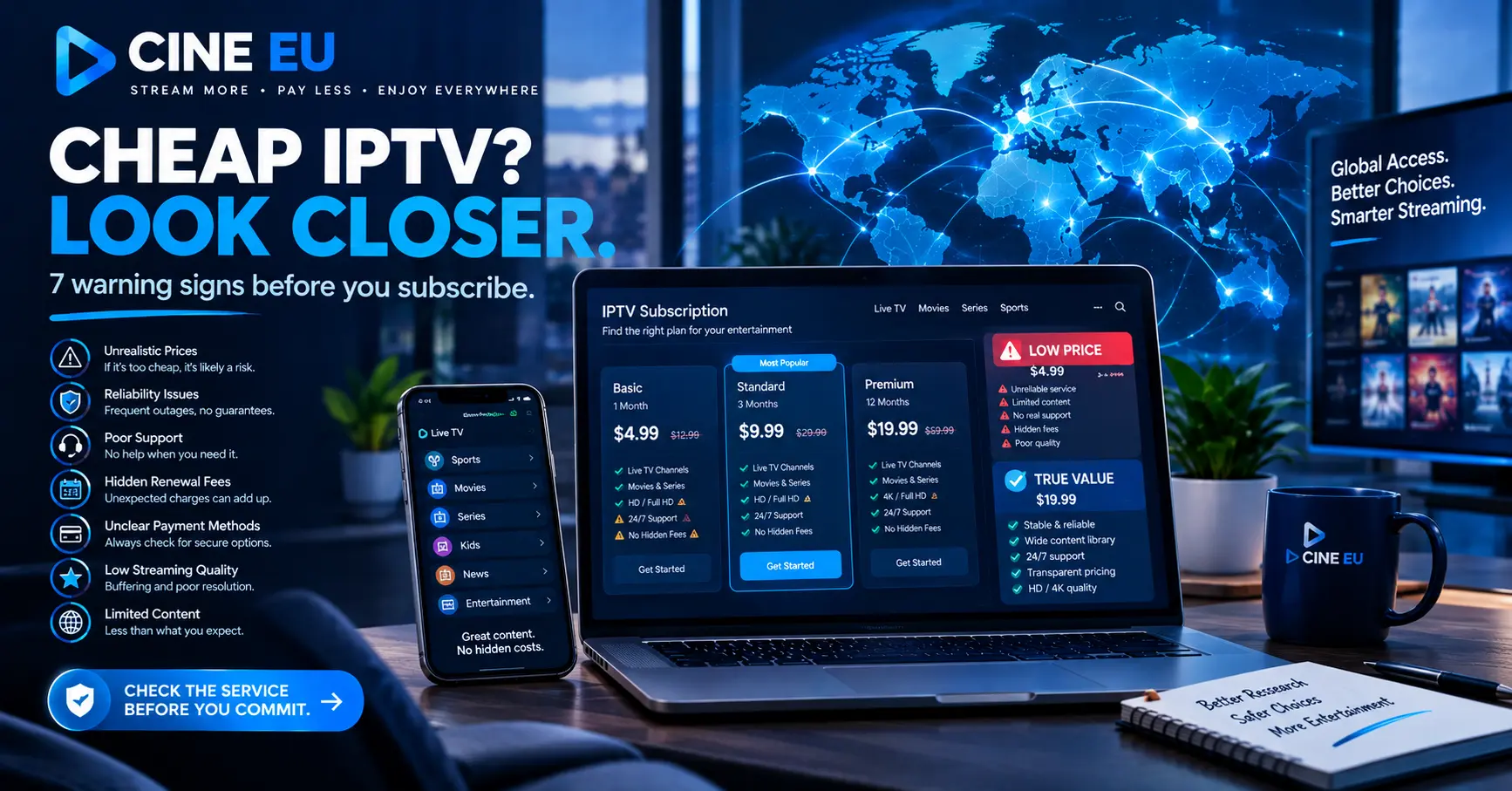
Is That Cheap IPTV Subscription a Bargain or a Rip-Off? 7 Ways to Tell
A few years ago, I’d roll my eyes at any advert promising a cheap IPTV subscription for less than the price of a Friday night takeaway. Then a friend of mine, a retired engineer from Telford with zero patience for buffering, showed me his setup. It cost him about £8 a month, and it ran better than the service I was paying three times as much for.
So here’s the honest answer up front. A low price isn’t automatically a red flag, but it isn’t a bargain either until the seller passes a handful of simple checks. Most of the horror stories you’ll read on forums come from people who skipped those checks, not from the price itself.
I’ve spent the best part of fifteen years writing about telecoms, set-top boxes and the businesses behind them. I’ve tested panels, interviewed sellers and watched providers vanish overnight with a year of their customers’ money. What follows is the list I actually use, and I’ll tell you plainly where a budget option simply won’t suit you.
What a Cheap IPTV Subscription Actually Gets You
Strip away the marketing and IPTV is just television delivered over your internet connection rather than an aerial or satellite dish. You get a login, usually an M3U link or Xtream Codes details, and you plug it into an app such as TiviMate, IPTV Smarters or the built-in portal on a MAG box.
What changes as the price drops is everything around that login. A cheap IPTV subscription tends to trim three things: server capacity, customer support and the quality of the programme guide. Sometimes the trimming is sensible. Sometimes it’s reckless.
There’s also the question of legitimacy, and I won’t dance around it. Ofcom and the Federation Against Copyright Theft (FACT) have both made clear that watching content without the proper rights can land viewers in trouble, not just sellers. A genuinely good deal comes from a provider that is licensed to carry what it offers.
Think of it like budget airlines. You can fly to Spain for £30, and plenty of people do so happily. You just need to know which extras you’re giving up before you’re standing at the gate with a suitcase that’s two kilos over.
Seven Warning Signs I Check Before Paying
1. No Free Trial, or a Trial That Needs Card Details
Any seller confident in its servers will let you try before you buy. I look for a trial of at least 24 hours, ideally with no payment details required. A cheap IPTV subscription with no trial on offer is asking you to take a leap of faith, and I don’t leap.
Short trials matter because buffering rarely shows itself in the first ten minutes. It appears at 8pm on a Saturday, when every household on that server is watching at once.
2. Lifetime Deals
Nothing in streaming lasts a lifetime, least of all the companies. When I see a cheap IPTV subscription advertised as a one-off payment for “unlimited access forever”, I assume the business model depends on disappearing. Servers, bandwidth and licensing all cost money every single month, so a single payment can’t cover them for long.
3. Payment Only by Crypto or Gift Cards
Crypto isn’t a problem in principle. But when it’s the only option, you lose every scrap of buyer protection that PayPal or a credit card would normally give you. Honest operators usually offer at least one payment route with a proper chargeback process.
4. Channel Counts That Sound Like Phone Numbers
“45,000 channels!” Really? I’ve tested services boasting figures like that, and most of the list turned out to be duplicates, dead links or the same feed repeated in four resolutions. A tighter lineup that actually works beats a bloated one every time.
5. No Real Contact Point
Can you reach a human being? Test it before paying. Send a question through the website chat or WhatsApp and time the reply, because if nobody answers a sales enquiry, nobody will answer when your stream dies halfway through the match you’ve waited all week to see.
6. A Broken or Missing EPG
The electronic programme guide is the part most budget sellers neglect. Without it, you’re scrolling blindly through channel names with no idea what’s on. If you’re unsure what a working guide should look like.
7. Reviews That All Sound the Same
Trustpilot is useful, but read the three-star reviews rather than the fives. Twenty glowing reviews posted in the same week, all in the same breathless tone, tell you more about the marketing budget than the service. Which? has published sensible guidance on spotting fake reviews, and it’s worth ten minutes of your time before any online purchase.
Price Tiers Side by Side
Price alone tells you surprisingly little, so here’s roughly what each bracket buys in the UK market. These are typical monthly figures from my own testing and conversations with sellers, not fixed rules.
| Monthly price | What you usually get | Main risk | Who it suits |
|---|---|---|---|
| Under £5 | Oversold servers, patchy guide, little support | Frequent buffering and sudden shutdowns | Almost nobody, honestly |
| £6 to £10 | Decent stability off-peak, basic support | Slowdowns at peak times | Light viewers, spare bedrooms |
| £11 to £15 | Load-balanced servers, working EPG, catch-up | Fewer extras on multi-screen plans | Most households |
| £16 and above | Multiple connections, fast support, premium apps | Paying for features you won’t use | Families, heavy users |
Notice where the sweet spot sits. For most people, a cheap IPTV subscription in the £8 to £12 range is where value peaks. Go lower and you’re gambling, while going much higher often means paying for a brand name rather than better streams.
Want a quick sanity check? Divide the monthly price by the number of screens you actually need. If a two-screen plan at £14 works out cheaper per screen than two single plans, that’s genuine value rather than a marketing trick.
Where the Low Price Really Comes From
This is the bit most buyers never think about. It’s also the key to understanding why one cheap IPTV subscription runs beautifully for years while another collapses within a month.
Very few of the brands you see online run their own servers. Most are an iptv reseller buying credits from a larger iptv service provider, then packaging those credits under their own name and price. The upstream provider handles the infrastructure, and the reseller handles marketing, customer support and billing.
That arrangement isn’t sinister. It’s the same model used across UK mobile networks, where dozens of budget brands rent capacity from a handful of big operators. The quality you get depends on two things: how solid the upstream infrastructure is, and how responsibly the seller manages its share of it.
A careful iptv reseller keeps customer numbers in line with what its credits can realistically support. A careless one sells as many logins as possible, knowing the server will choke at peak times. Both might charge you £7, but only one of them will still be answering messages next March.
I once asked a seller in Birmingham how he kept his prices low without cutting corners. His answer was refreshingly simple: he didn’t pay for adverts, he paid for good credits, and his customers brought him their neighbours. That’s exactly the kind of operator you want to find.
Ever wondered about running this model yourself? The economics are more interesting than they look from the outside, and I’ve written a fuller guide on the business side:
Become a White Label IPTV Reseller and Own Your Customers → / white label iptv reseller
What to Ask Any IPTV Service Provider
Before handing over money, I put three questions to the seller. Their answers tell me more than any sales page ever could.
- Do you run your own servers, or which iptv service provider supplies your streams?
- How many connections are allowed per account, and what happens if I exceed them?
- What’s your refund policy if the service goes down for more than a day?
A vague answer to the first question isn’t always a deal-breaker. A vague answer to the third one usually is.
The Hidden Costs Nobody Mentions
The sticker price of a cheap IPTV subscription is rarely the full story. Before you celebrate saving £20 a month, add up everything else the setup needs.
Hardware comes first. A Firestick 4K costs around £50, a decent Android TV box a little more, and a MAG box sits higher again. If your television is already smart and supports the right app, you might avoid this entirely, but many older sets don’t.
Broadband is the next consideration. Smooth HD needs roughly 25 Mbps per stream, and 4K needs considerably more. If your household already struggles when two people are on video calls, you may end up upgrading your package, which quietly eats into your savings.
Then there’s your time. Setting up playlists, fixing a guide that won’t load or chasing support on WhatsApp all costs something, even if it doesn’t appear on a bank statement. For some readers that tinkering is half the fun. For others it’s a Sunday afternoon they’ll never get back.
A Word for Readers Searching IPTV Kaufen
A good chunk of my readers come from Germany, Austria and Switzerland, where the search term is “iptv kaufen” rather than “buy IPTV”. The core advice doesn’t change across borders, but a couple of local details are worth flagging.
German consumer law gives buyers strong rights around distance selling, including a 14-day withdrawal period for many online contracts. Some budget sellers based outside the EU simply ignore this, so check where the business is registered before you pay. No company address at all? Treat that as warning sign number eight.
Anyone typing iptv kaufen into a search engine will also spot plenty of sellers quoting prices in euros but charging in pounds or dollars. That currency shuffle can quietly add 10 per cent to the real cost of a cheap IPTV subscription, so always look at the final checkout total rather than the headline figure.
Language support matters too. A German-speaking household deserves a programme guide in German and a support team that replies in German, and a seller that can’t manage either isn’t really offering a saving.
How I Test a Cheap IPTV Subscription in 48 Hours
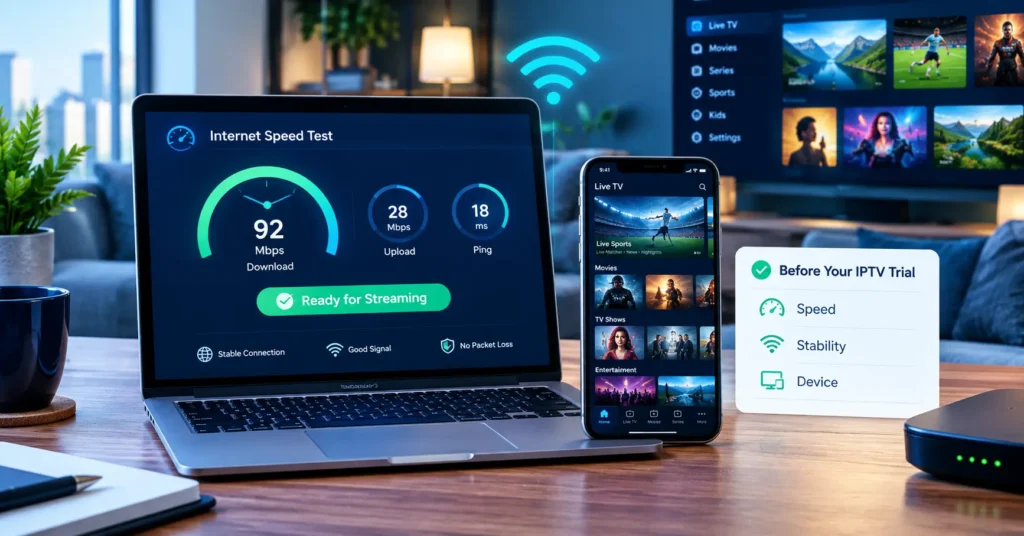
Here’s the routine I run whenever I trial a new service. It takes two evenings, and it’s saved me from more bad purchases than I care to admit.
- Start the trial on a Friday afternoon, so the test window includes weekend peak hours.
- Install the login on two devices, such as a Firestick and a phone, to see how it behaves across screens.
- Run a speed test with Speedtest by Ookla first, so you know whether any buffering is your broadband or theirs.
- Watch one live channel at 8pm on Saturday for a full 30 minutes without switching.
- Open the programme guide and check whether tomorrow’s listings have loaded.
- Try the catch-up or video library, if there is one, and note how quickly titles start.
- Message support with a genuine question and time the reply.
If a cheap IPTV subscription passes all seven, I’m happy to pay for a single month. Not a year. A month.
That last point deserves its own paragraph. Annual plans look tempting because they shave a few pounds off the monthly rate, but if the service disappears in month three, the saving evaporates instantly. I only commit to longer plans once a provider has proven itself for two or three months.
Is a Budget Plan Ever the Wrong Choice?
Absolutely, and I’d be doing you a disservice if I pretended otherwise. If you’ve got four people streaming at once, or you work from home on a shared connection, the cheapest tier will frustrate you no matter how honest the seller is. Budget plans are built for one or two screens and moderate use.
Likewise, if you only watch a couple of specific services, a legitimate app subscription direct from the rights holder may simply be better value. Sometimes a cheap IPTV subscription isn’t the cheapest way to watch what you actually care about.
Your Pre-Purchase Checklist
Before you pay for any cheap IPTV subscription, run through this list. If you can’t tick at least seven, keep looking.
- The seller confirms it’s licensed to carry the content it offers
- A free trial is available with no card details required
- Monthly billing exists, not just annual or lifetime plans
- At least one payment method gives you buyer protection
- The channel lineup is realistic rather than inflated
- The programme guide loads correctly for the next few days
- Streams stayed stable during a Saturday evening peak
- A real person answered your pre-sale question within a few hours
- The business shows a company address and clear refund terms
Keep a record of everything the seller promised in writing. If something goes wrong later, screenshots are far more persuasive than memory.
A Final Thought From My Desk
My friend in Telford is still with the same seller, four years on. He didn’t find that service by chasing the lowest number on a price comparison page. He found it by testing properly, asking awkward questions and paying monthly until trust was earned.
That, really, is the whole secret. A cheap IPTV subscription isn’t a bargain because of what it costs; it’s a bargain because of what it keeps delivering, week after week, without you having to think about it. Use the checklist, run the 48-hour test, and don’t let a flashy “lifetime” banner rush you into anything. Your evenings, and your wallet, will thank you for it.
Frequently Asked Questions
Is a cheap IPTV subscription worth it?
It can be, provided the service passes a proper trial and the seller is open about licensing and refunds. In my experience, the £8 to £12 bracket offers the best balance of price and stability. Anything far below that usually points to overloaded servers. Always test during peak hours before committing to more than a month.
How can I tell if a cheap IPTV subscription is legitimate?
Look for a registered business address, clear terms and conditions, and payment methods that include buyer protection. Ask the seller directly whether it holds the rights to the content it offers. Guidance from Ofcom and FACT is a sensible starting point if you’re unsure. A reputable seller won’t dodge the question.
What’s the difference between an IPTV reseller and an IPTV service provider?
An iptv service provider runs the servers and infrastructure that deliver the streams. An iptv reseller buys access, usually as credits, and sells it to customers under its own brand. Both can be trustworthy, and many excellent brands are resellers. What matters is whether the seller manages its capacity responsibly and supports customers properly.
Which app works best with an IPTV login?
TiviMate on Android TV and Firestick is my personal favourite for its clean guide and recording options. IPTV Smarters covers more platforms, including iPhone and many smart TVs. MAG boxes are a solid pick if you’d rather have dedicated hardware. Your seller should confirm which formats it supports before you buy.
Should I pay monthly or yearly for a cheap IPTV subscription?
Start monthly, every single time. Annual plans save a little money, but they tie you to a seller that hasn’t yet earned your trust. Once a service has run smoothly for two or three months, a longer plan becomes a more reasonable bet. Never pay for a lifetime deal, however tempting the banner looks.